
Service & restoration fleets
Follow the journeys between customer jobs, check the latest reported vehicle position and review stops without ringing every driver.
Explore fleet trackingFLEET & BUSINESS TRACKING
Follow reported vehicle locations, replay journeys and bring linked devices into one account. Build a setup around your fleet’s work across New Zealand.
Discuss my fleet ↗BUILT AROUND YOUR WORKING DAY
Follow the journeys between customer jobs, check the latest reported vehicle position and review stops without ringing every driver.
Explore fleet trackingKeep linked vehicles in one account and review their reported use. Set supported geofences around a depot or other important place.
Plan your fleet setupChoose plug-in tracking for a compatible car, professional wiring for a permanent fit, or a rechargeable tracker for equipment.
Find your vehicle setupFROM A VEHICLE TO THE FLEET
Check a vehicle’s reported location and timestamp before making the next call or planning a handover.
Review the available routes and stops between customer jobs, deliveries or sites. Follow up individual trips when you need more context.
Use supported geofences around a depot or other place, with alerts matched to the device and configuration.
BUSINESS REPORTING · PORTAL BETA
Start with a location. Follow the recorded journey. Then use the available reports to understand vehicle activity across the day.
Beta report access depends on your account, device setup and available history. Ask us about access for your fleet. Recorded movement is not a timesheet or proof that a job was completed.
Discuss fleet reportingILLUSTRATIVE REPORT · FICTIONAL EXAMPLE
Review the individual route, stop and idle-event details where available. Check the report period, device settings and any gaps before interpreting the day.
A PRACTICAL ROLLOUT
Start with a self-fit OBD tracker for a compatible vehicle, or arrange professional hardwired fitting. Mobile installation is available by arrangement across New Zealand. Confirm your town, vehicle requirements, dates and any travel charges before booking.
For a mixed fleet, choose the device for each vehicle rather than assuming every vehicle uses the same fitting method. We can discuss a staged rollout and the information needed for your quote.
Compare fitting methodsINSIDE THE EZY GPS APP
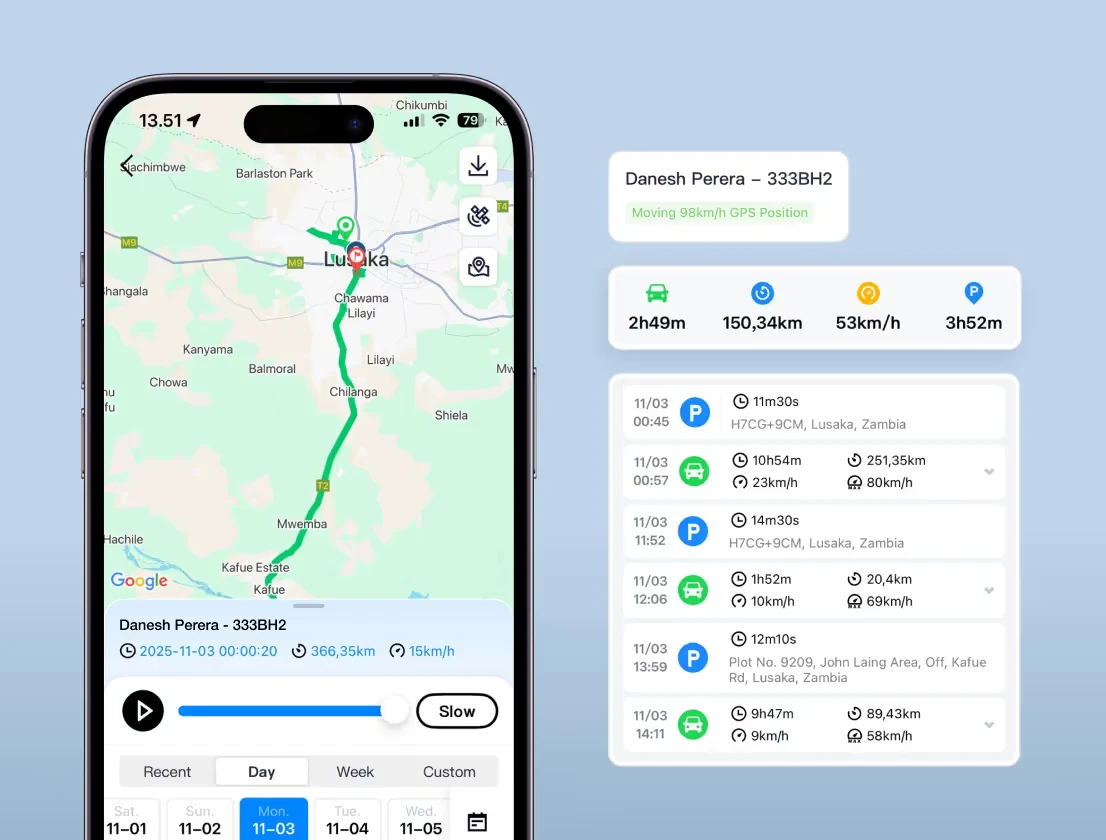
EZY GPS interface examples. Features and available records depend on your device, account and configuration. Tracking requires device power, GPS reception and mobile coverage.