
Check the fit.
Confirm your make, model, year, port position and clearance. A suitable OBD-II port and power arrangement are required.
EZY01 · PLUG-IN TRACKER
A plug-in option for vehicles with a suitable OBD-II port. Confirm the device and power arrangement for your vehicle before choosing your setup.
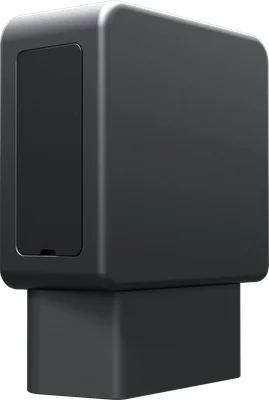
Confirm your make, model, year, port position and clearance. A suitable OBD-II port and power arrangement are required.
A plug-in device may be visible and is removable. Discuss whether that approach suits the way your vehicle is used.
Confirm the device model, SIM/data arrangement and coverage on your routes with the team.
EZY01 AT A GLANCE
Specifications describe the listed EZY GPS model. Confirm the supplied hardware variant, kit and vehicle suitability in your quote. Live updates can be as frequent as every 10 seconds on a suitable configuration; reporting depends on the device mode, power, GPS and mobile coverage. Battery modes can report less often.
IS IT RIGHT FOR YOUR VEHICLE?
EZY01 is designed for a compatible OBD-II diagnostic port. It takes vehicle power through that port, so there is no permanent hardwiring. That makes it a practical starting point for compatible cars, service vans and light commercial vehicles.
The port shape alone does not confirm the complete fit. Check the vehicle model, year, power arrangement and clearance around the driver’s legs and controls. A removable tracker may also be visible, which matters if you prefer a discreet installation.
You can move an EZY01 between compatible vehicles, subject to suitability and account setup. Engine diagnostics, CAN data and Wi-Fi depend on specific hardware variants and are not standard features of every unit.
Choose OBD for a removable plug-in connection in a compatible port. Choose EZYH1 when you want a permanent electrical installation carried out by a qualified installer.
Tell us the vehicle model and send a photo privately if requested. A suitable extension may help some installations, but the tracker and cable must remain secured and clear of controls and airbags.
Yes, in a confirmed compatible vehicle. Follow the supplied guide while parked. Stop if the fit is uncertain and ask for advice before forcing or modifying anything.
GET CONNECTED
Watch the fit and first-report check before you start.
Use the matching written guide and instructions supplied with your device.
Open the video directlyTHE OTHER HALF OF YOUR TRACKER
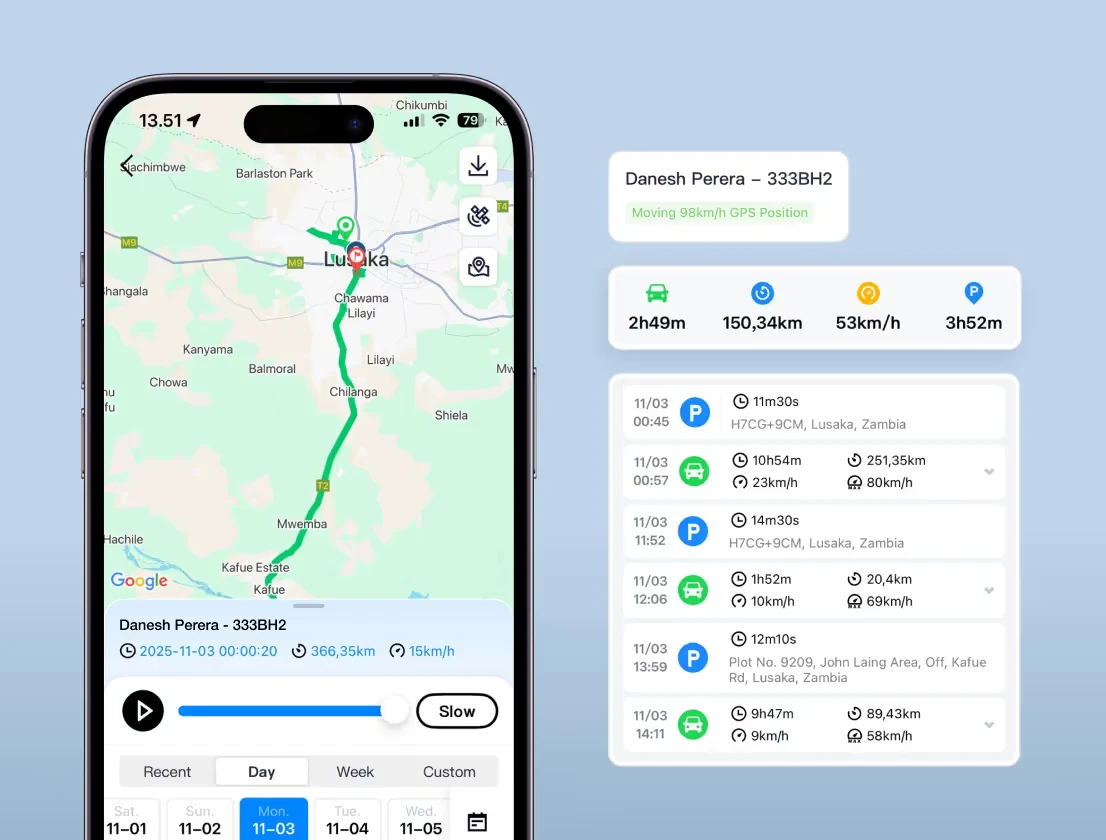
Use the EZY GPS app and web platform to check reported locations, review recorded journeys and manage linked devices in one account. Supported alerts and reports depend on the device, configuration and available history.
Before ordering, confirm your usual operating areas so we can check the selected local SIM and device arrangement. Mobile and GPS reception vary by location.
LOCAL PEOPLE. A PRACTICAL NEXT STEP.
Tell us your vehicle types, travel areas and fleet size. EZY GPS New Zealand can help you plan the next step.
Do you want to add this to your order?
Your order has been confirmed.
We'll be in touch with shipping details shortly.

OBD2 Extension Cable
Perfect for cars with deep or hidden OBD ports.